·Client dashboard · BrandWorks Insights

Your numbers.
Not our promises.

Every BrandWorksApp client gets a personal dashboard: live data straight from Google about your website and a log of every piece of work we do — with what it changed. No reports an agency writes about itself.

In the browser and as an iPhone app
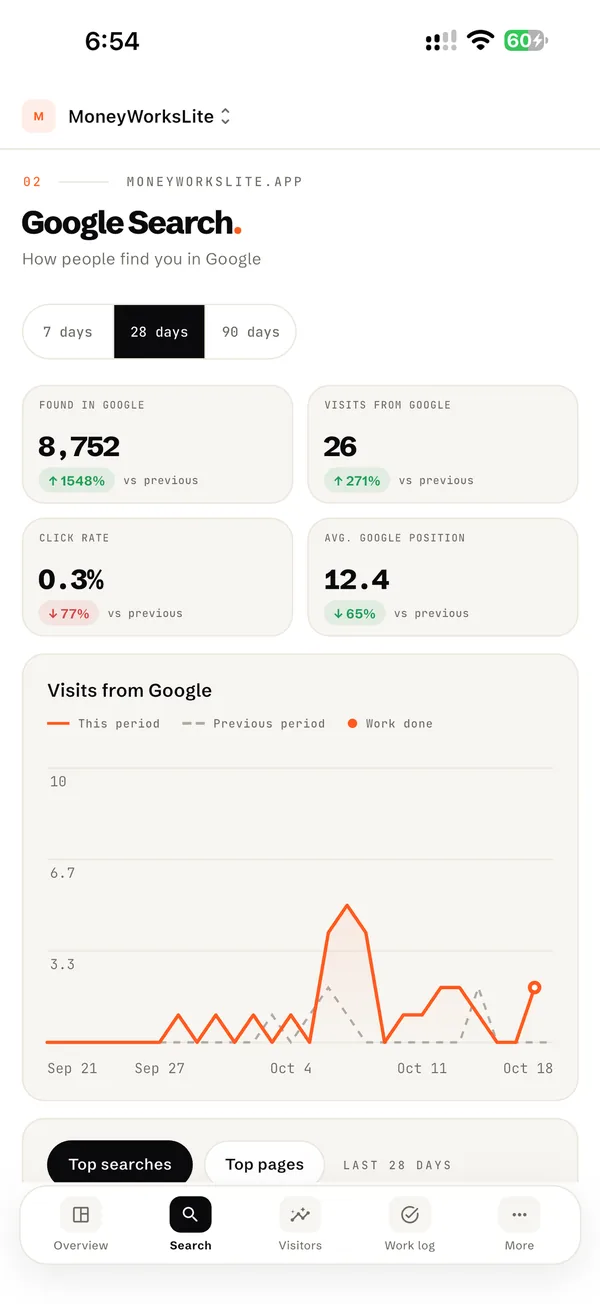
BrandWorks Insights on iPhone — Google Search screen: impressions, clicks, click rate, average position and a chart of visits from Google
01Why we built it

You pay for results.
You should see them.

How it usually goes

A PDF once a month

  • The agency picks which numbers to show
  • Nice charts, but no idea what's behind them
  • What was actually done for the money — unclear
  • No way to check — you just take their word
How we do it

A live dashboard, every day

  • Numbers come straight from Google — we can't polish them
  • Every piece of work is logged with a date and marked on the chart
  • The effect is measured honestly — even when it's zero
  • Open it any time: in the browser or on your iPhone
02Our credo

Honesty and transparency. If the numbers grow, you'll see it yourself. If something didn't work, you'll see that too — and we'll be the first to say so.

— Vladlen & Vika, BrandWorksApp
01

Google's data, not ours

Search Console, Google Analytics and PageSpeed — the same sources Google itself uses. We don't type a single number by hand.

02

Every change on record

A new page, a text edit, a speed fix — it all goes into the work log. The platform compares 14 days before and after and shows what moved.

03

Your data stays yours

You give us read-only access and can revoke it any time. No ads — we don't sell or share anything.

04

Ask right where it happened

Not sure about an entry? Leave a comment under it — we answer right there, and you get an email.

05

Plain words

"Found in Google", "calls", "speed on phones" — no jargon, no acronyms.

06

A weekly summary

Every Monday, a short email: the week's key numbers compared to the week before, and what we did.
03What you see
Google Search: how often your business appears in Google, clicks and average position
Google Search
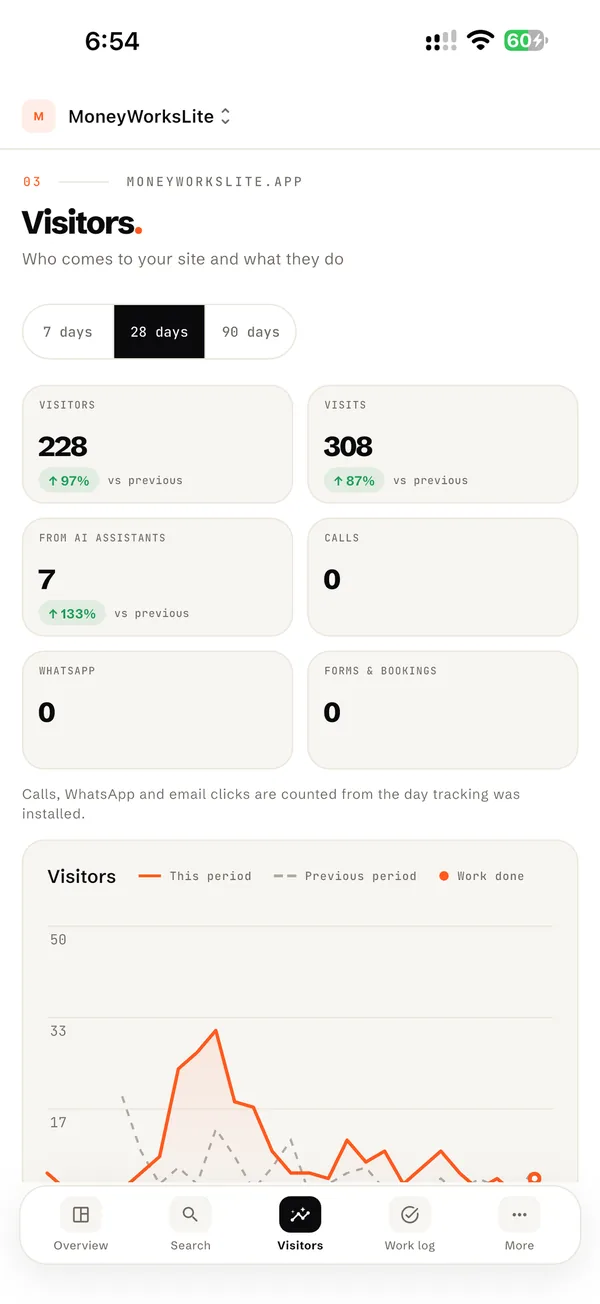
Visitors: people on your website, visits from AI assistants, calls, WhatsApp and forms
Visitors & leads
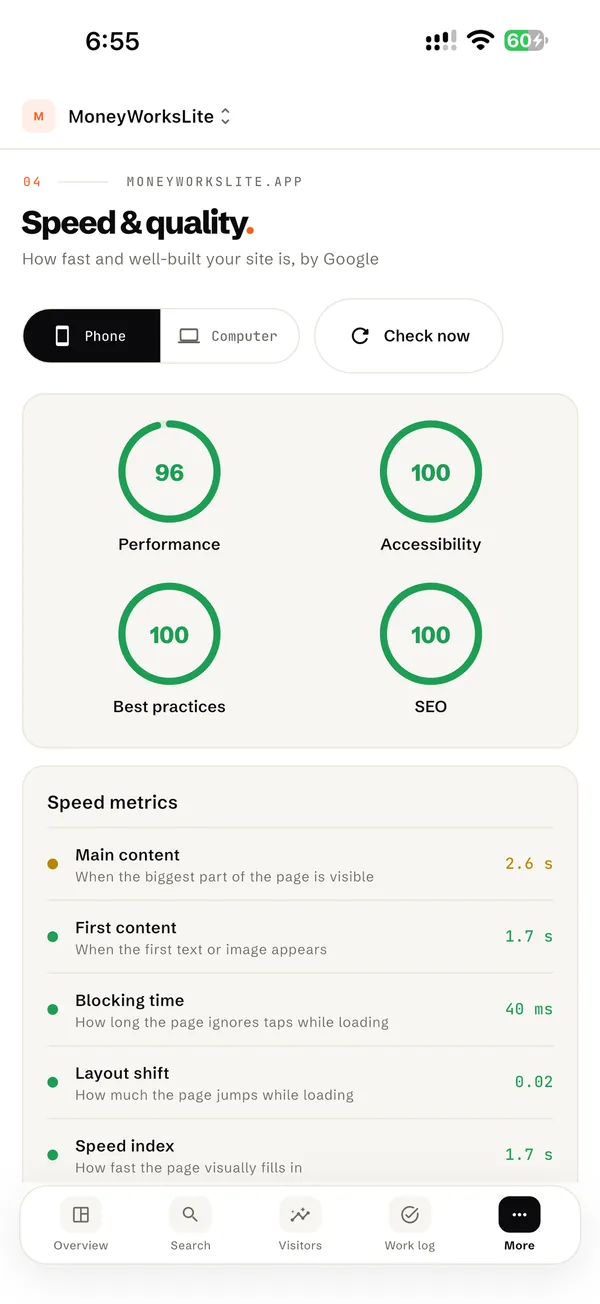
Speed and quality scores from Google PageSpeed for phones and computers
Speed & quality
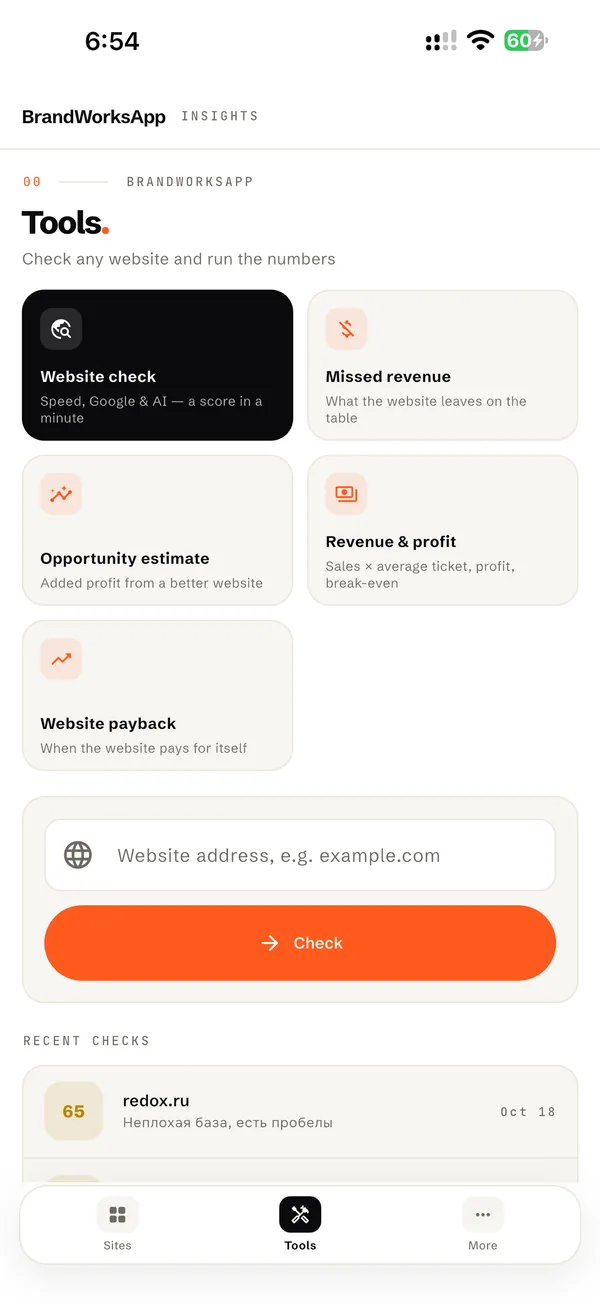
Free tools: website check and business calculators
Tools

How Google finds you

How often you appeared in search, how many people clicked, which searches and which pages.

Who comes and what they do

Visitors, where they come from and, most importantly, who called, sent a WhatsApp message or filled a form.

AI assistants

Whether ChatGPT, Gemini and Claude can read and recommend your business — and how many people came from them.

04How it works
01

You grant read-only access

To your site's Google Search Console and Google Analytics. We'll walk you through it — five minutes. Calls and forms are counted from the day tracking is installed.

02

We work and log it

Every change to your website goes into the work log with a date. If you like, you get an email about each new entry.

03

You check whenever you want

In the browser or the iPhone app. Data refreshes every night, plus a summary in your inbox every Monday.

05Questions
Does it cost extra?

No. The dashboard comes with working with BrandWorksApp — there's no separate fee.

Who can see my data?

Only you, the people you name and our team. Other clients can't see your site, and you can't see theirs.

What if the numbers go down?

You'll see it at the same time we do. We don't hide bad weeks — we look into it, explain why and tell you what we'll do next.

Why do numbers differ from Google Analytics?

We show your website only (apps are shown separately), and Google's data arrives with a 1–2 day delay. The source is the same — your own Google account.

What if we stop working together?

You simply revoke our access in Google — all your data stays in your own accounts anyway. You can delete your dashboard account in your profile.

Do I need to install anything?

No — the dashboard works in any browser. There's also a BrandWorks Insights app for iPhone.

Trust is built
on open numbers.

Open the dashboard → Free website check Start a project