Why we know this first-hand
Our studio’s Google Maps account is a Level 8 Local Guide, close to Level 9. In about a year we’ve posted more than 7,800 photos and videos of shops, restaurants and services across Central Florida. They’ve been viewed 188 million times — now about 20 million views a month. We see Maps not from the owner’s side but from the inside, through the eyes of the people who fill it.
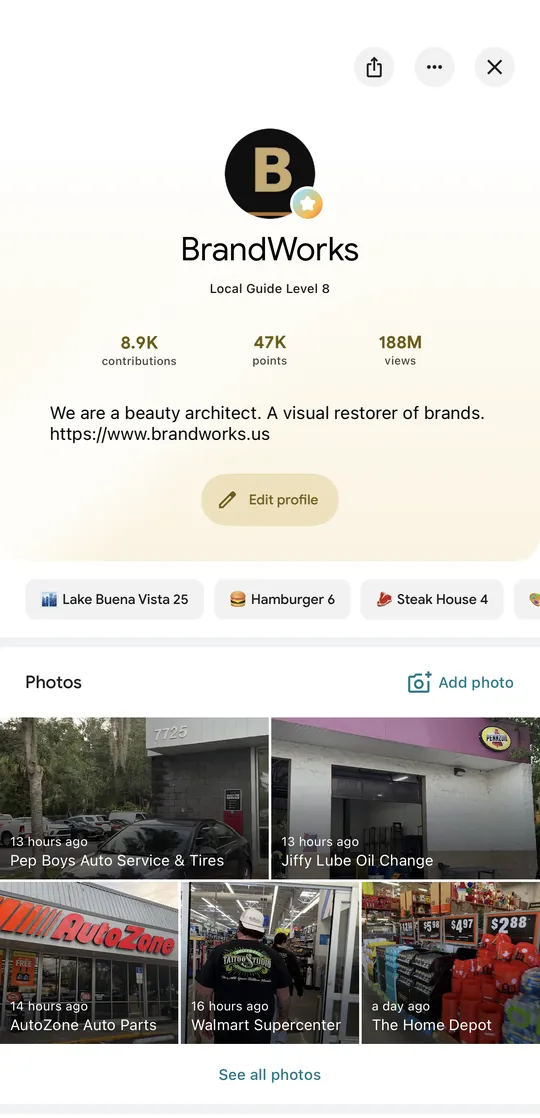
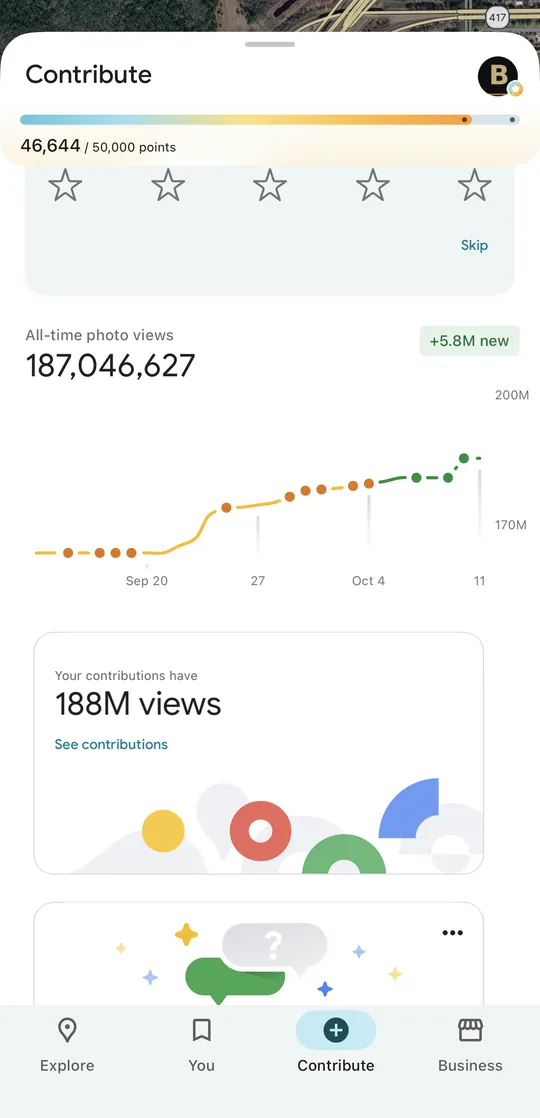
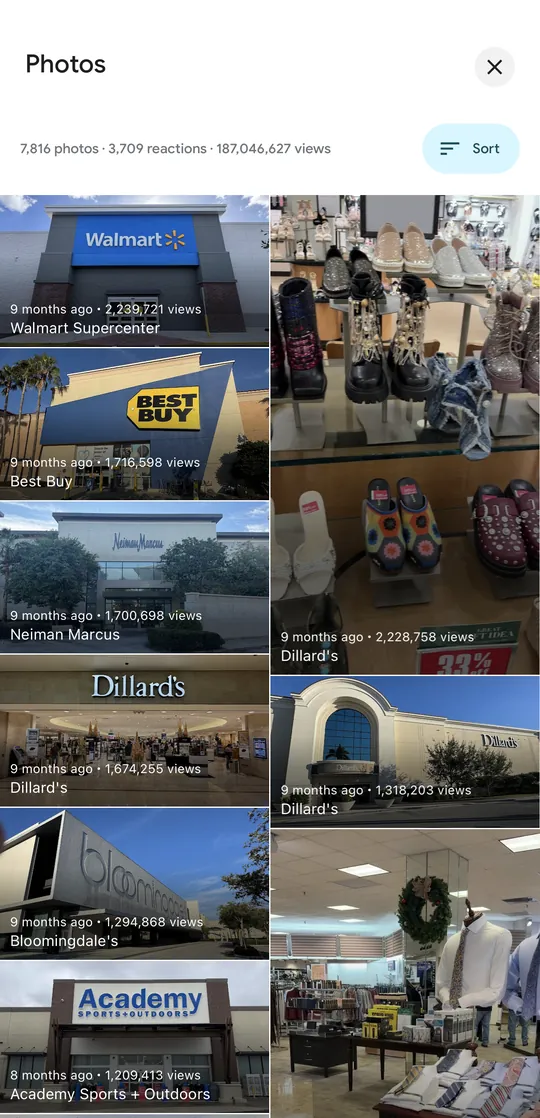
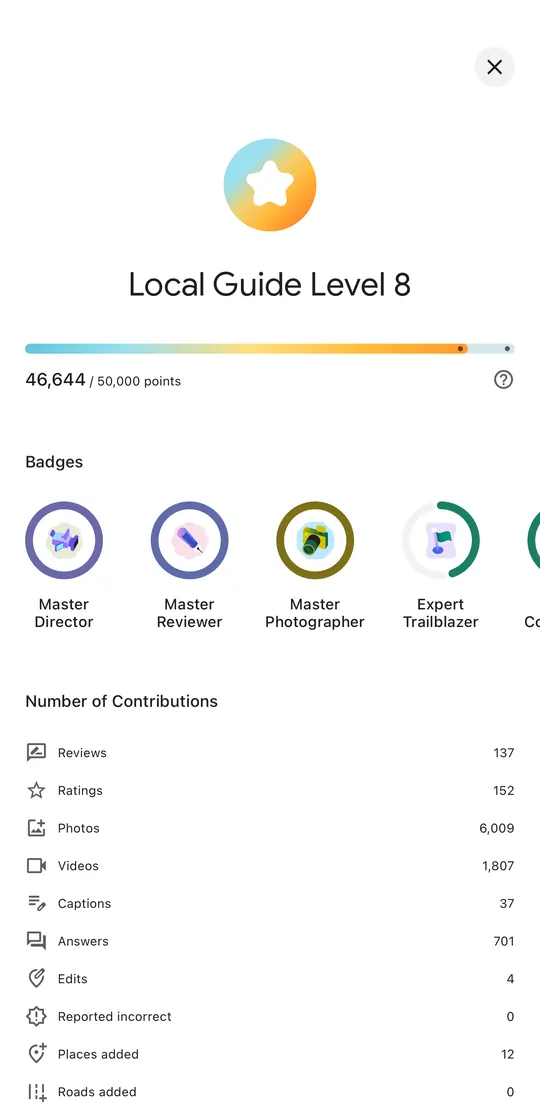
Screenshots of our Google Maps account, October 11, 2026.
The short answer. Google ranks places on Maps by three things: how well you match the search, how close you are, and how well known you are. You can’t buy a position. You can make your profile complete, honest and alive — and give real customers as many reasons as possible to interact with it.
Google says— Google’s official positionOur practice— what we see ourselves; Google doesn’t publicly confirm it
What Google officially says Google says
According to Google, local results are based mainly on three factors:
- Relevance — how well your profile matches the search. Complete, accurate details help Google show you for the right searches.
- Distance — how far you are from the person searching.
- Prominence — how well known you are. That includes your review count and rating, and links from other websites. “More reviews and positive ratings can help your business’s local ranking,” Google says.
And one more line worth remembering: “There’s no way to request or pay for a better local ranking on Google.” Ads appear separately and are labeled as sponsored.
Source: Google Business Profile Help — tips to improve your local ranking.
Rule #1: never buy reviews
This is the basics. Owners think a batch of five-star reviews from strangers will lift their profile. In reality Google sees a lot about who leaves a review: the account’s history, where and how often it posts, whether the reviews look like a coordinated push. A review from a random account in another state or country that has never been anywhere is not a trust signal — it’s a red flag.
The consequences are real. Google can remove reviews, temporarily block new ones and show customers a warning on your profile about suspected fake reviews. And in the US, the FTC’s rule against fake reviews, in force since October 2024, allows civil penalties against businesses.
Sources: Google — Business Profile restrictions for policy violations; FTC — final rule banning fake reviews.
One photo vs. an ad budget
Businesses pour money into Google Ads and Reels promotion. A video spreads across the whole country, even the world — while the customer lives five miles away. Meanwhile one good photo on Google Maps at a busy location gets 10, 50, sometimes 100 thousand views a month. Over a year, millions. Our photo of a Walmart Supercenter has been viewed 2.2 million times in 9 months.
And the key part: those views are local and intentional. Photos on your profile are seen by people already looking at your place — choosing where to go, getting directions. And they cost nothing.
To be fair: views aren’t customers, and our biggest numbers come from large, busy locations. A small business will see fewer. But it’s free, local exposure most owners simply don’t use.
A living profile: every touch counts Our practice
Reviews aren’t the only thing that makes a profile visible. In our experience, Google favors profiles where things keep happening:
- new photos from customers and Local Guides;
- questions and answers on the profile;
- directions requested to your place through Maps;
- calls and website clicks straight from the profile;
- your replies to reviews and fresh posts.
All of it tells Google the same thing: this place is alive, people look for it and go there.
Photos “set in concrete” Our practice
A common story: the owner uploaded photos on opening day, before there were any customers. Two years later the top of the profile still shows the same empty room and the old menu. Photos like that seem to set the profile in concrete — it looks frozen.
- Refresh your own photos at least once a season: new dishes, the team, the interior, finished work.
- Replace outdated photos that no longer show what your place is today.
- Let customer and Local Guide photos rise to the top: real “through the customer’s eyes” shots are a strong signal for both Google and people. Guides work hard to get their photos to the top.
Connect your website and Maps Our practice
A frequent problem: the profile links to the website, but the website doesn’t link back to the profile. The address is just text — even if it’s clickable, it doesn’t lead to your Google listing. We recommend closing the loop:
- an embedded Google map of your actual listing, not just an address;
- a “Get directions” button that opens your profile on Maps;
- a block with your real Google reviews and rating;
- the same name, address and phone on your site, on Google and in every directory.
From your room to your profile Our practice
Most owners give customers no reason to open their profile. It’s easy to fix: a small QR code on the menu, the receipt or the counter. While someone waits for their order, they open Maps, look at photos, read reviews — and if they liked it, leave one of their own. Every visit like that is another touch.
Just don’t offer a discount or gift for a review: Google’s policies prohibit incentivized reviews. Ask honestly, at the right moment.
Checklist: 15 steps
- Your profile is verified and the primary category is precise.
- Hours, including holiday hours, are up to date.
- Name, address and phone match everywhere.
- Services, products and description are filled in.
- Opening-day photos are replaced with fresh ones.
- New photos at least once a season.
- Every review gets a reply, especially the bad ones.
- Not a single bought or incentivized review.
- You ask for reviews in person, at a good moment.
- A QR code to your profile on the menu, receipt or counter.
- Your website embeds a map of your listing.
- The “Directions” button leads to your Google profile.
- Your site shows real Google reviews and rating.
- There are fresh posts and answers to questions.
- Your site is open to AI search — ChatGPT reads maps and sites too.
More on the last step in “Why ChatGPT can’t see your website”.
Common questions
Can I pay Google for a better spot?
No. Google states there’s no way to request or pay for a better local ranking. Ads appear separately and are labeled as sponsored.
Should I reply to reviews?
Yes. Google recommends it, and customers read replies — especially to negative reviews — before they decide.
Can I delete a bad review?
An owner can’t delete a review. If it breaks Google’s policies — spam, abuse, not about your business — you can report it for review. Honest criticism is better handled with a calm reply.
How fast will I see results?
You can fix your profile in a day. The effect of new reviews, photos and customer activity builds over weeks and months and depends on the competition near you.
Do customer photos matter more than mine?
You need both. Yours show the place the way you want it seen. Customer and Local Guide photos show it as it really is — and in our experience make the profile feel alive to people and to Google.
We’ll set it up for you. Our $3,500 website package includes a Google Business Profile review, a website-to-Maps connection, an on-site photo shoot with the best shots posted to Maps, and consistent details across directories.
Your revenue is just two numbers. Let’s move them.
A calculator: how +10% in sales and ticket changes your profit per month and per year.